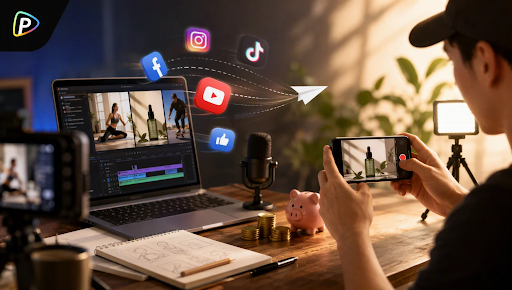

Creating several product ads for testing can take more time than expected. Veo 3 Fast on Pollo AI lets marketers start with one product image and quickly test different scenes, hooks, and visual styles before committing to full production.
Why Use Veo 3 Fast on Pollo AI for Ad Testing?
A product does not need a completely new creative for every ad. Often, the difference is the setting, opening shot, product benefit, or way the product is presented.
For example, one skincare product could become a clean studio ad, a bathroom routine, or a close-up focused on its packaging.
Veo 3 Fast on Pollo AI can use a product image as the starting point while the prompt controls the scene, action, camera movement, and mood. It also supports generated dialogue, music, ambient sound, and sound effects.
The trade-off is control. The model works best for short clips and quick concept testing. If an ad needs precise product placement, complex movements, or tightly controlled final footage, traditional production or a more controllable workflow may still be the better choice.
How to Create Product Ad Variations with Veo 3 Fast on Pollo AI

1. Select Veo 3 Fast on Pollo AI
Open Pollo AI’s Image to Video AI and choose Veo 3 Fast from the available models.
This is the starting point for the workflow. Instead of generating a generic video first and adapting it later, the product image can be used directly as the visual reference.
2. Upload the Product Image
Upload a clear product photo to Pollo AI.
Keep the product easy to recognize. Packaging, logos, colors, and important details should be visible. A simple product image is often enough for the first test.
For example, an e-commerce team could upload one coffee bottle and use it to test several ad directions.
3. Write a Prompt for One Ad Idea
Each prompt should test a different concept rather than simply changing descriptive words.
For a lifestyle angle:
A premium coffee bottle on a kitchen counter at sunrise. Slow camera push toward the product, natural morning light, subtle steam from a nearby cup. Quiet kitchen ambience.
For a workday angle:
The same coffee bottle beside a laptop during a busy morning. Smooth tracking shot as a person prepares coffee. Natural office lighting, keyboard sounds and subtle coffee-making sounds.
The product remains the reference, while the advertising context changes.
4. Set the Format and Generate
Before clicking Create in Pollo AI, choose the settings that match the intended use.
For social ads, aspect ratio matters. Resolution and clip length also depend on whether the video is being used for a quick test, social post, or another placement.
Veo 3 Fast supports short 4-, 6-, and 8-second clips, with 720p and 1080p options available on Pollo AI.
Once the settings are ready, generate the clip and review the result.
5. Change One Variable at a Time
After the first generation, return to Pollo AI and change the main creative variable. Try a different opening hook, setting, camera movement, product benefit, visual style, or audio approach. Changing one major element at a time makes it easier to see which direction actually works.
This makes the comparison more useful. If everything changes at once, it becomes difficult to tell which idea actually improved the ad.
A Simple Prompt Formula
A straightforward formula is:
Product + setting + action + camera + lighting + audio
For example:
A compact wireless speaker on a modern desk while a person works nearby. Slow camera push-in, soft afternoon light, shallow depth of field. Quiet office ambience and subtle music.
Then test a completely different situation:
A compact wireless speaker at an outdoor picnic as friends gather around it. Smooth tracking shot, natural afternoon light, light conversation and outdoor ambience.
The goal is to test different creative ideas, not produce five versions of the same shot.
When Veo 3 Fast on Pollo AI Makes Sense
Veo 3 Fast on Pollo AI works well for e-commerce teams, social marketers, and small brands testing UGC concepts, product demos, launch teasers, or short ads.
The trade-off is control. Before publishing, check logos, packaging, colors, proportions, and product details. Pay extra attention to hands and people, where small errors can make a clip look fake. Audio also needs a quick review for dialogue timing, pronunciation, and sound effects. Better prompts can reduce these issues, but not remove them.
For precise branding or complex product interactions, the generated clip may need further editing. It is best used to test creative directions quickly before moving strong ideas into a more controlled production workflow.
Final Thoughts
Veo 3 Fast on Pollo AI is most useful when the goal is to find a workable ad idea quickly, not to replace the entire production process.
Start with one product image, build several genuinely different concepts in Pollo AI, and cut the weak ones early. The promising ideas can then move into a more controlled editing or production stage.
That approach keeps AI where it is most useful: early in the creative process, when testing an idea costs less than producing it.

Raghav is a talented content writer with a passion to create informative and interesting articles. With a degree in English Literature, Raghav possesses an inquisitive mind and a thirst for learning. Raghav is a fact enthusiast who loves to unearth fascinating facts from a wide range of subjects. He firmly believes that learning is a lifelong journey and he is constantly seeking opportunities to increase his knowledge and discover new facts. So make sure to check out Raghav’s work for a wonderful reading.